
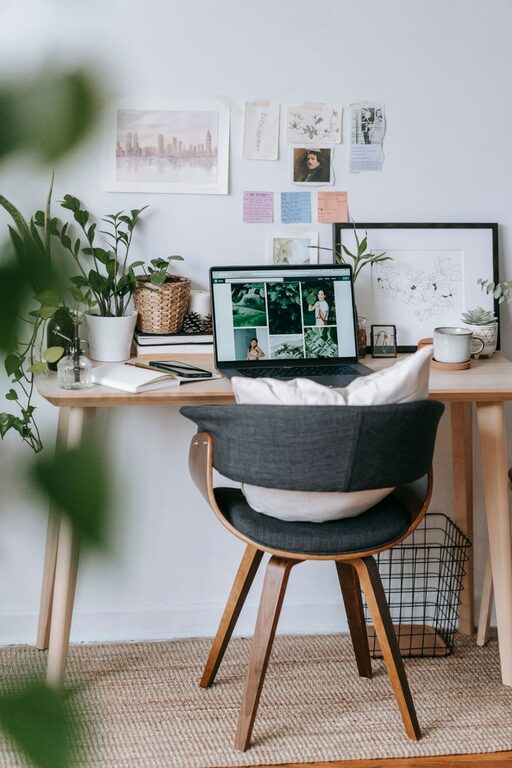
Creating a home office that is both cozy and productive can make a big difference in how you feel and perform during your workday. Whether you’re working remotely full-time or just need a quiet spot for occasional tasks, the right setup will help you stay focused and comfortable. In this post, we’ll explore practical tips to design a home office that meets your needs and inspires you every day.
1. Choose the Right Location
Your home office’s location sets the tone for your workday. Here are some things to consider:
– Natural Light: Pick a spot with plenty of natural light to help reduce eye strain and lift your mood. Near a window is ideal.
– Quiet Area: Choose a space away from heavy foot traffic or noisy appliances to minimize distractions.
– Space for Movement: Ensure there’s enough room to move comfortably and stretch during breaks.
2. Invest in Comfortable, Functional Furniture
Comfort is key for long hours of work. Focus on furniture that supports your posture and keeps you at ease:
– Ergonomic Chair: Look for chairs with adjustable height, lumbar support, and comfortable cushioning.
– Desk: Choose a desk with enough surface area for your computer, notebooks, and other essentials. Adjustable desks that allow you to switch between sitting and standing are a bonus.
– Storage Solutions: Incorporate shelves or drawers to keep your office supplies organized and within reach.
3. Organize and Declutter
A cluttered space can lead to a cluttered mind. Here’s how to keep your home office tidy:
– Daily Clean-Up: Spend a few minutes at the end of each day putting things away and clearing your desk.
– Use Organizers: Desk trays, pen holders, and filing systems keep small items in order.
– Cable Management: Use clips or covers to keep cords neat and prevent tangling.
4. Personalize with Cozy Details
Adding personal touches helps make your office feel inviting without sacrificing productivity:
– Soft Textiles: A plush rug or a cozy throw blanket can add warmth.
– Plants: Small indoor plants add life to the room and can improve air quality.
– Artwork & Photos: Choose inspiring or calming images that make you smile.
– Lighting: Besides natural light, add a desk lamp or floor lamp with warm bulbs to create a soothing atmosphere.
5. Maintain Good Lighting
Good lighting helps reduce eye strain and keeps you alert:
– Layer Lighting: Use a combination of overhead, task, and ambient lights.
– Avoid Glare: Position your monitor and lights to minimize screen glare.
– Adjustable Lights: A lamp with adjustable brightness lets you customize your space throughout the day.
6. Keep Technology Efficient and Accessible
Make sure your tech setup helps, not hinders, your workflow:
– Reliable Internet: A strong, stable connection is essential for video calls and downloads.
– Ergonomic Equipment: Consider keyboards and mice designed to reduce strain.
– Monitors: If possible, add an extra monitor to increase screen space.
7. Set Boundaries for Work and Life
Especially when working from home, clear boundaries help maintain balance:
– Define Work Hours: Stick to set work times as much as possible.
– Dedicated Workspace: Keep your office just for work to help mentally separate work and relaxation.
– Signal Boundaries: Use a door, a room divider, or a sign to indicate when you’re working.
8. Incorporate Break Zones or Refreshment Areas
Taking breaks is vital for productivity. Consider:
– Comfortable Chair: Somewhere to relax without screens.
– Water and Snacks: Have a place nearby for quick refreshments to stay hydrated and energized.
– Stretch Space: A small clear area for gentle stretching or quick exercises.
Final Thoughts
Creating a cozy and productive home office is about balance—combining functionality with comfort to support your best work. Start small and customize your space little by little. The most important part is making the environment suit your unique style and needs so that every workday feels a little bit better.
Happy decorating and productive working!